Run Your Whole Restaurant from Your Phone: The All-in-One App by US Brand Booster LLC

Manage every order, branch, and team member from the palm of your hand. US Brand Booster LLC delivers the smart technology you need to increase speed, reduce errors, and grow.

See Everything, Manage Faster: All Dashboards of This Application

Experience total clarity with a unified system where every department stays connected. Our specialized dashboards for Admins, Chefs, Waiters, and Drivers turn complex data into simple actions. Monitor live inventory, track customer feedback, and watch your revenue grow in real-time. It’s the smartest way to eliminate chaos, improve communication, and keep your restaurant running smoothly every single day.

Role-Based Dashboards That Keep Everyone Connected

Each role gets the right tools at the right time—so operations move faster, mistakes drop, and
your restaurant stays in sync from kitchen to delivery.

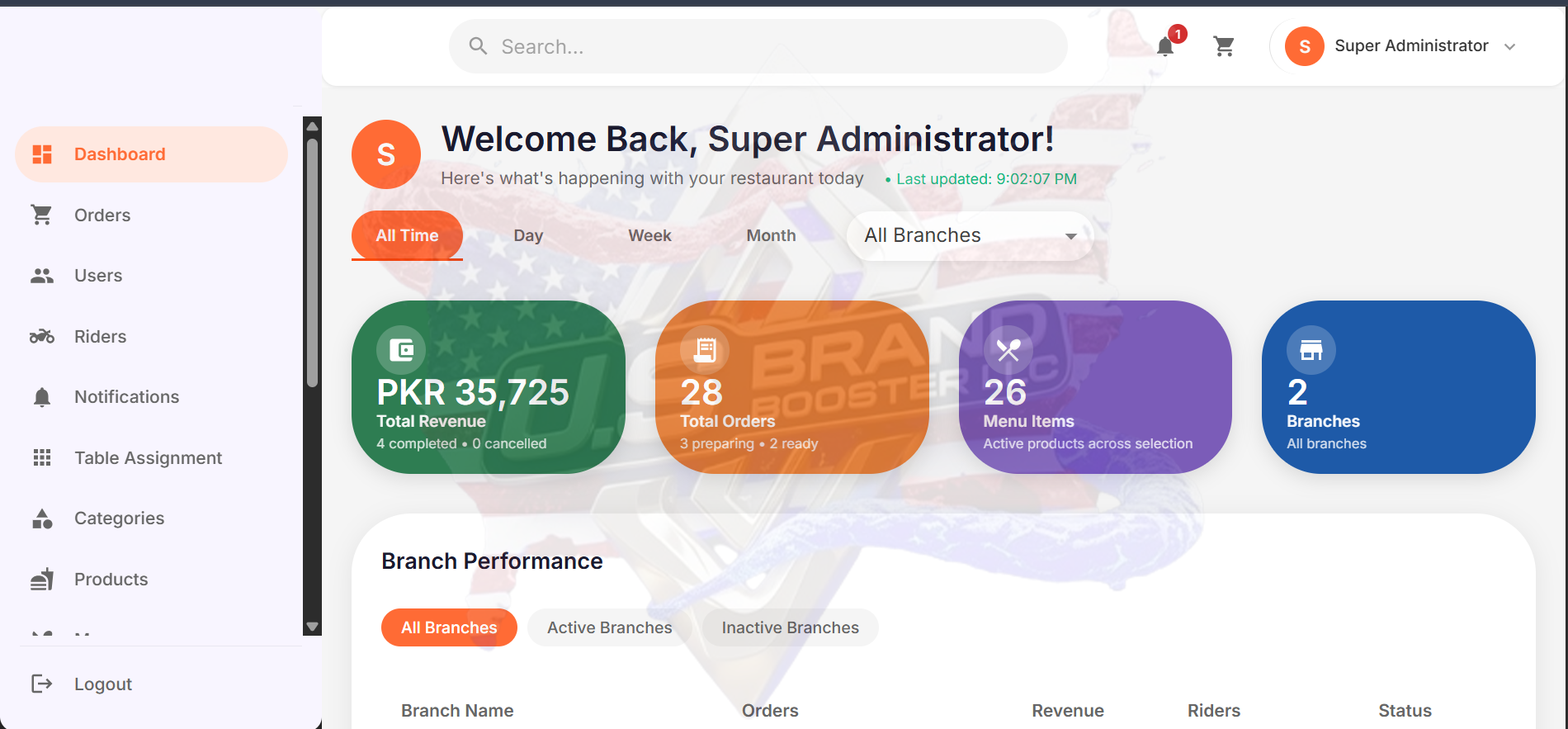
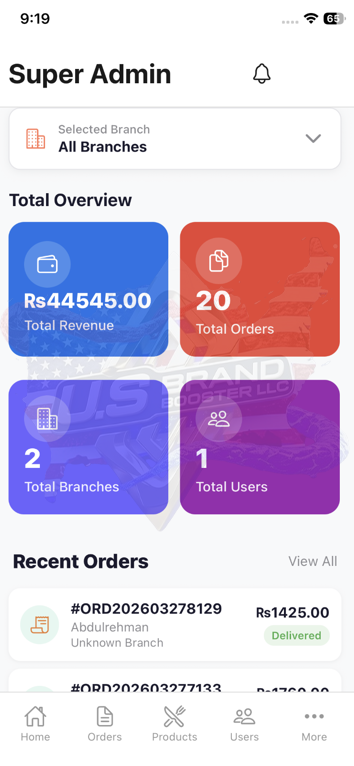
Admin Dashboard

The Admin Dashboard provides a sophisticated suite of management tools designed to put you in complete control of your business. Through the Home portal, you can oversee Orders, Users, and Products while managing Notifications and Tables in real-time. For expanding enterprises, the Branches and Categories sections allow for seamless multi-unit coordination. US Brand Booster LLC also integrates powerful marketing features like Banner Management, Coupons, and Deals Campaigns to drive revenue. With access to detailed Reports, Product Size configurations, and customizable Profile Settings, you have everything needed to scale operations efficiently.

Here is a simple step-by-step guide to how it works

Start at the Home tab to see your daily stats. Use the Orders section to track every sale in real-time, from the moment it’s placed to when it’s delivered.

Organize your offerings by using Categories and Products. You can even go deep into detail with Product Size to offer different portions and prices for the same item.

Boost your revenue by creating custom Coupons and Deals Campaigns. Use Banner Management to upload eye-catching advertisements that appear directly on the customer’s app.

Manage multiple locations through Branches and organize your floor plan with Tables. Use the Users and Notifications tabs to manage staff roles and send important updates.

Check the Reports tab to see what’s working and what’s not. Finally, use Settings and Profile Settings to customize the app’s look and feel to match your unique brand identity.

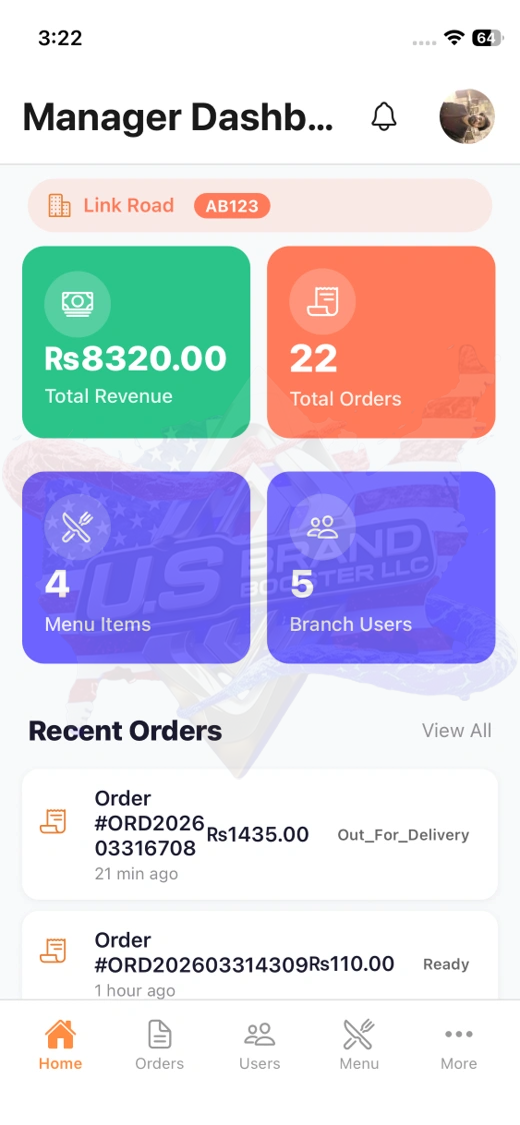
Manager Dashboard

The Manager Dashboard provides a manager with total authority over the daily operations of their specific branch. It acts as a complete command center where they can oversee live Orders, manage staff like Waiters, Chefs & Riders and update Products or Categories in real-time. To drive local growth, managers have full access to create Coupons, run Deals, and update Banners specifically for their location. While they have 100% control over their assigned site’s performance and reporting, the system has one strict limit: managers cannot create or delete branches. This “Master Key” remains exclusive to the Admin. This ensures the manager can focus entirely on running a perfect, profitable branch while the business owner maintains secure control over brand expansion.

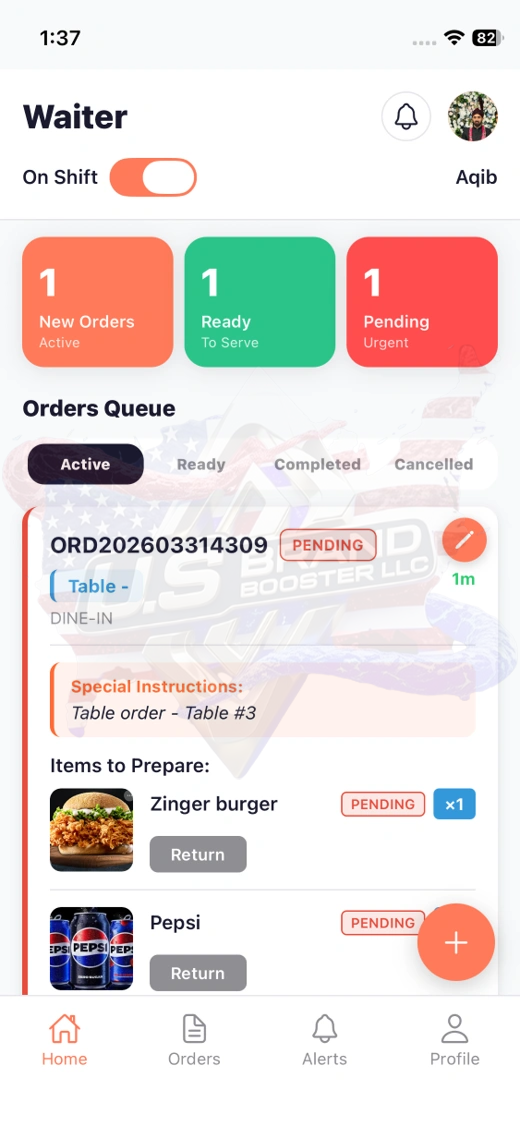
Waiter Dashboard

The Waiter Dashboard is designed for high-speed service and total accuracy on the dining floor. Through the Home screen, your staff can manage their daily tasks and table zones with ease. The Order tab allows waiters to send guest requests to the kitchen instantly, reducing wait times and manual mistakes. Communication is effortless with the Alert feature, which notifies the team the moment food is ready or a customer needs assistance. US Brand Booster LLC also provides a Profile section where staff can manage their personal settings and track their performance. This simple, focused interface helps your servers stay organized, keep guests happy, and ensure every meal is served perfectly.

Chef Dashboard

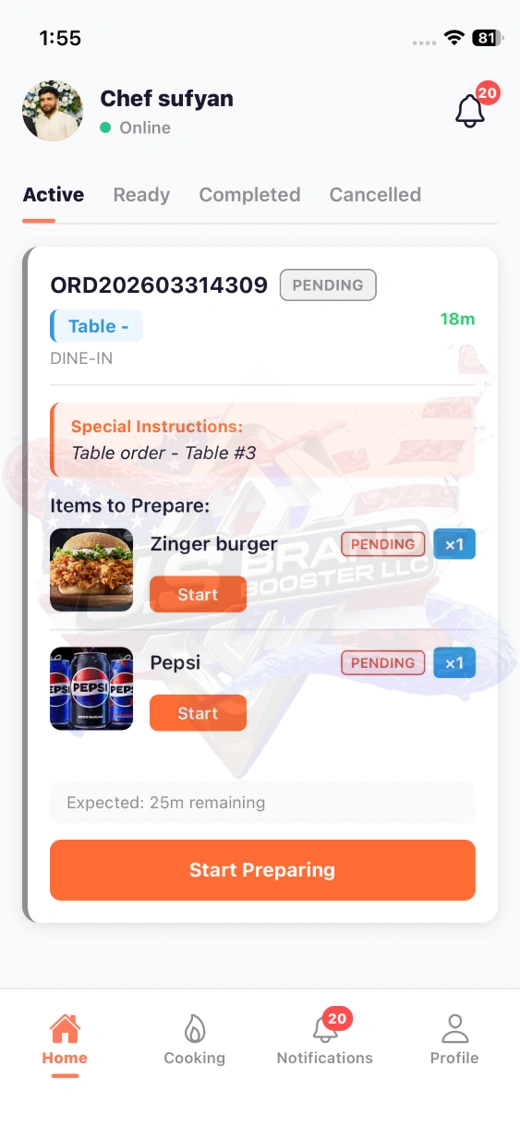
The Chef Dashboard is designed to keep the heart of your restaurant organized and efficient. On the Home screen, chefs get a quick look at the day’s tasks to stay prepared for every shift. The Cooking tab is the most important tool, where every new order appears instantly so the kitchen team can track what needs to be made and when. To ensure nothing is missed, US Brand Booster LLC included a Notification feature that pings the kitchen the moment a customer places an order. There is also a Profile section for chefs to manage their individual details. This simple layout removes confusion, allowing your chefs to focus on cooking great food quickly and accurately.

Customer Dashboard

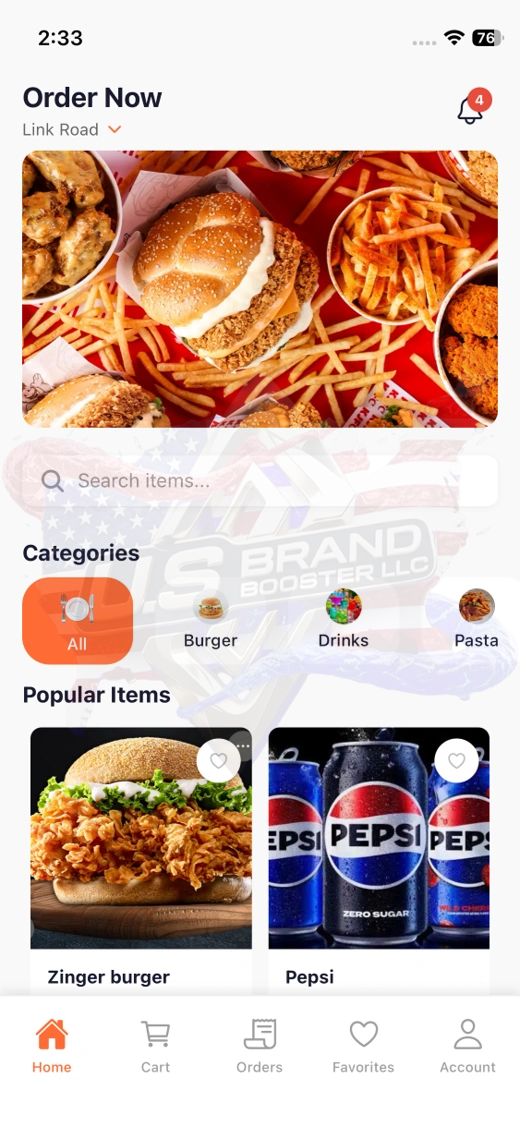
The Customer Dashboard is designed to provide a smooth and enjoyable ordering experience for every guest. On the Home screen, customers can browse your menu and find the latest deals instantly. The Cart and Orders tabs make it easy to review selections and track the status of a meal from the moment it is placed until it arrives. To make future visits even faster, US Brand Booster LLC included a Favorites section where guests can save their top dishes for one-click reordering. Additionally, the Account tab allows users to manage their personal details and rewards. This user-friendly layout keeps customers engaged and happy, encouraging them to return to your restaurant again and again.

Rider Dashboard

The Rider Dashboard is a simple and effective tool designed for your delivery team to manage their work on the go. Starting at the Home screen, riders can quickly see their current status and available tasks. The Orders tab provides clear delivery locations and customer details, ensuring every meal is delivered fresh and on time without any confusion. To keep things transparent, US Brand Booster LLC included an Earnings section where riders can track their daily pay and completed trips. There is also a Profile tab to help them manage their personal account information easily. This clear, mobile-friendly layout helps your riders stay focused, work faster, and provide excellent service to every customer.

The Operational Roadmap: A Step-by-Step Guide to the
Multi-User App Experience

Explore our simple guide to see how the app works for everyone. From the Admin setting the stage to the Manager running the shop and Riders delivering meals, see how every step connects perfectly.

The Admin logs in to create the business identity. They use the Branches tab to add a new location (e.g., "Downtown Branch") and create a Manager account for that specific site. They also upload the master Categories and Products to ensure the menu is ready across the brand.

The Manager logs in to their dashboard. Since they have total access to their branch, they organize the Tables for the dining room and create a Deals Campaign to attract lunch-time guests. They ensure the Chef and Waiters are logged in and ready for the shift.

A Customer opens the app at home. They browse the Home screen, see the Manager’s promotion, and add items to their Cart. They place the order, which instantly pings the system.

Chef: Instantly receives a Notification. They move to the Cooking tab to start the meal.

Waiter: Sees the order status on their dashboard. Once the Chef marks it ready, the Waiter gets an Alert to prepare it for pickup or delivery.

Normally, a rider accepts a task via their Rider Dashboard. However, if no rider picks up the order automatically—or if a rider is unavailable—the Admin or Manager can take control:

Manual Intervention: The Manager or Admin can open the Order Details and see a list of available riders.

Re-assigning: With a few clicks, they can manually assign the order to a specific rider who is nearby or ready to work.

Instant Notification: The chosen rider receives a high-priority alert on their Rider Dashboard telling them they have been assigned a specific delivery.

At the end of the day, the Manager checks their Reports to see the branch's daily profit. Simultaneously, the Admin looks at the global Reports to see how all branches are performing compared to each other, using that data to plan the next big expansion.

Pre-Chat Form

Ready to start a conversation?

Provide your contact info so we can follow up!

US Brand Booster LLC
US Brand Booster LLC is typing...

Was your conversation helpful?

Get A Free Qoute